Product · · 5 min read
React Native Realtime Chat with ByoTalk
Learn how to build React Native realtime chat with reliable message states, reconnect handling, presence, read receipts, and your own database.
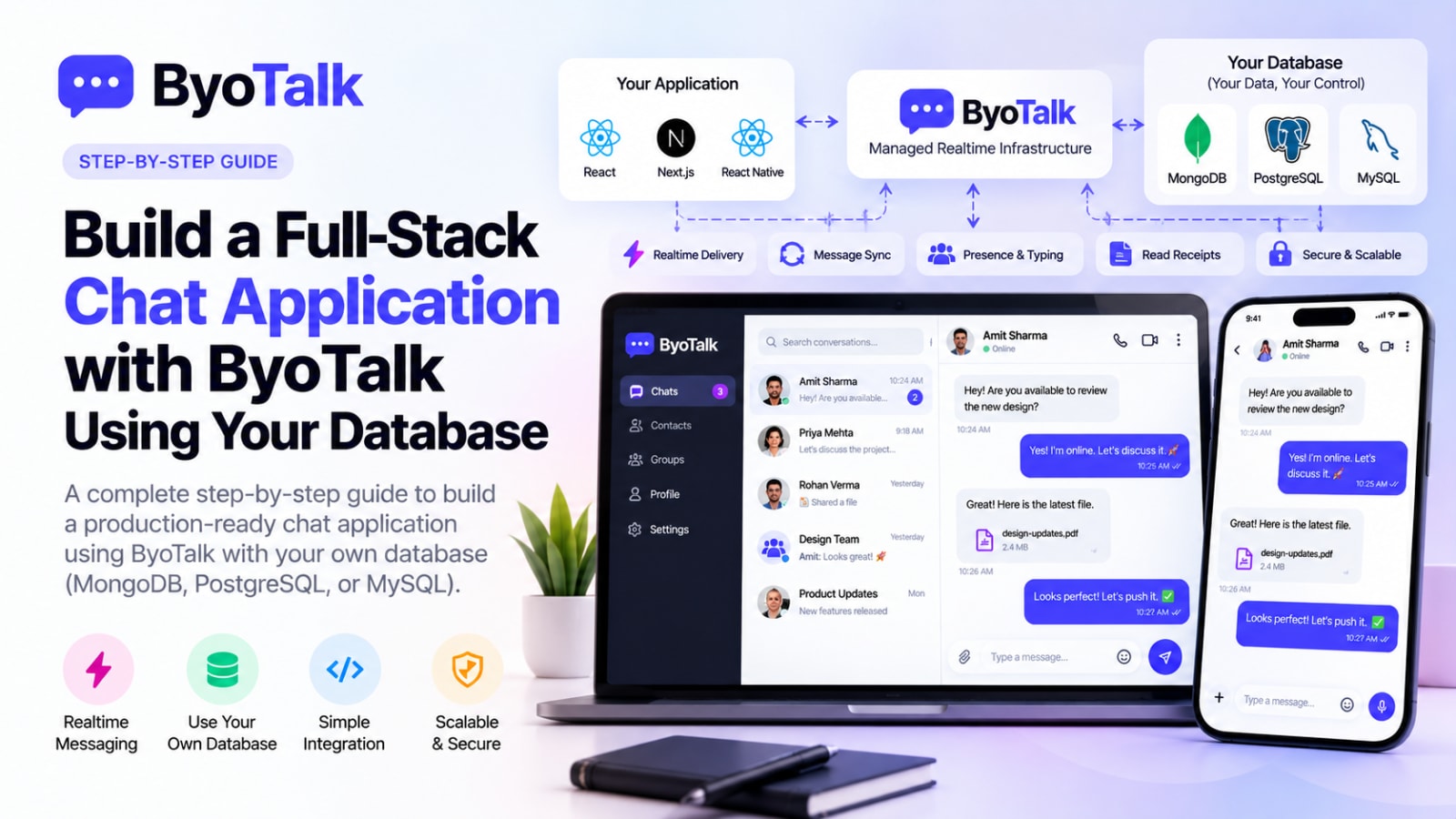
React Native realtime chat is easiest to maintain when the mobile UI, your backend, your database, and realtime delivery each have a clear responsibility. You can keep users and messages in your own database while ByoTalk handles realtime delivery, synchronization, presence, typing, and read receipts.
This architecture works for Expo and React Native CLI apps and lets the same chat backend serve iOS, Android, and web clients.
React Native realtime chat architecture
A production mobile chat app can be split into four layers:
- React Native app — screens, navigation, local state, composer, and message UI.
- Application backend — authentication, authorization, validation, and business rules.
- Your database — durable users, conversations, messages, and application data.
- ByoTalk — realtime events, synchronization, presence, typing, and receipts.
This separation keeps the mobile app focused on user experience instead of making it responsible for maintaining the entire realtime infrastructure.
Step 1: Define your chat data
Start with the records your product actually needs. A typical schema includes users, conversations, participants, messages, attachments, and persistent read state.
Every message should have a stable ID, conversation ID, sender ID, creation timestamp, and message content. Add application-specific metadata only when you need it.
Stable identifiers become especially important when mobile connectivity is unreliable.
Step 2: Keep authentication in your app
Your existing authentication system should remain the source of truth for user identity. When the React Native app starts a chat session, your backend should determine which conversations the user can access.
Do not rely on a conversation ID alone as authorization. A user may know an ID without having permission to read that conversation.
Step 3: Build the conversation screen
A useful React Native chat screen normally contains:
- Conversation header
- Online or last-seen state
- Inverted message list
- Message bubbles
- Sending and failed states
- Typing indicator
- Attachment actions
- Composer
- Retry controls
Keep the UI responsive even when the network is slow. A mobile user should not have to wait for a round trip before seeing that their message was submitted.
Step 4: Use optimistic messages
When a user taps Send, show the message immediately in a temporary sending state. After the backend confirms the durable record, reconcile that optimistic message with the server message.
A useful lifecycle is:
Sending → Sent → Delivered → Read
If delivery fails:
Sending → Failed → Retry
This makes network problems visible without making the conversation feel broken.
Step 5: Handle mobile connectivity
Mobile devices regularly move between Wi-Fi and cellular networks. Apps can also be backgrounded or suspended.
Your chat implementation should assume the realtime connection can disappear at any moment. When the app returns to the foreground, reconnect and synchronize missing events instead of assuming the local message list is complete.
Stable message IDs help prevent duplicate records when an operation is retried.
Step 6: Add presence and typing
Presence tells users whether another participant is available. Typing tells them that someone is currently composing a message.
Both are transient realtime events. They should not normally become permanent message records.
For a mobile UI, keep these indicators compact. A small online badge and a short typing label are usually enough.
Step 7: Add read receipts
Read receipts can be triggered when a conversation is visible to the user. The React Native app can send an acknowledgement, and the realtime layer can notify the other participant.
If your product needs historical read state, persist the important state in your own database. The realtime event is for fast synchronization; the database is for durable application state.
Step 8: Support attachments safely
Images, videos, documents, and voice files should generally use a dedicated storage or upload flow rather than being pushed directly through the message event.
A message can store an attachment reference, while the actual file lives in your chosen storage system.
This keeps chat events small and makes large media easier to manage.
Step 9: Optimize long conversations
Chat histories can become large quickly. Do not load thousands of messages into a mobile screen at once.
Use pagination or cursor-based loading to fetch older messages as the user scrolls. Keep list rendering efficient and avoid unnecessary re-renders when a new realtime event arrives.
For high-volume conversations, database indexes should support the common query pattern: messages for conversation X ordered by creation time.
Step 10: Handle background and foreground states
React Native apps have lifecycle transitions that do not exist in exactly the same way on desktop browsers.
When the application becomes active, verify the realtime session and synchronize current state. When it becomes inactive, reduce unnecessary transient activity and rely on the appropriate notification strategy for messages that need user attention.
Do not assume that an open screen means the realtime connection has remained healthy.
Step 11: Avoid duplicate messages
Duplicate messages are one of the most frustrating chat bugs.
A retry can happen when the user taps Send, the request reaches the server, and the network fails before the client receives the acknowledgement.
Use stable client or request identifiers and make message creation idempotent where appropriate. The server should be able to recognize a retry instead of creating a second permanent message.
Step 12: Test real mobile conditions
Before shipping, test more than the happy path.
Test:
- Wi-Fi to cellular switching
- Airplane mode
- Backgrounding the app
- Force closing and reopening
- Slow networks
- Duplicate sends
- Large conversations
- Multiple devices
- Failed attachments
- Expired authentication
- Permission changes
- Reconnect after a long offline period
These scenarios are where production chat systems usually reveal their weaknesses.
Production checklist
- Authentication and conversation authorization are enforced.
- Messages have stable identifiers.
- Optimistic messages reconcile with server state.
- Failed messages can be retried.
- Reconnect synchronization is implemented.
- Presence and typing remain transient.
- Read receipts are consistent.
- Large histories use pagination.
- Attachments use an appropriate upload flow.
- Database queries are indexed.
- App foreground/background transitions are tested.
- Multiple-device behavior is verified.
FAQ
Can React Native and Next.js use the same chat backend?
Yes. The same backend and database can serve mobile and web clients. ByoTalk can synchronize realtime events across those clients.
Can I use MongoDB with React Native chat?
Yes. The React Native app should communicate with your backend rather than connecting directly to your database. Your backend remains responsible for data access and authorization.
Does realtime chat work with Expo?
Yes, provided your chosen realtime integration and native requirements are compatible with the Expo setup you use. The architectural separation remains the same.
Should I store typing events in MongoDB or PostgreSQL?
Usually no. Typing is transient state and is better handled through the realtime layer.
Build mobile chat without owning all the infrastructure
React Native gives you the tools to create a polished mobile chat experience, but maintaining realtime connections, synchronization, presence, and receipts is a separate infrastructure problem.
With a BYO-database approach, your application keeps ownership of durable chat data while ByoTalk handles the realtime layer. That means your React Native app can focus on a fast, reliable user experience without forcing your team to build every piece of chat infrastructure from scratch.
For related architecture guidance, read Next.js Realtime Chat with ByoTalk, How to Design a Realtime Chat UI, and MongoDB vs PostgreSQL for Chat Applications.
- react-native
- chat-infrastructure
- realtime
Build chat on ByoTalk
Realtime chat and calls, with the permanent record in your own database.