Product · · 5 min read
How to Design a Realtime Chat UI
Learn how to design a realtime chat UI with clear message states, presence, typing indicators, read receipts, retries, and reconnect handling.
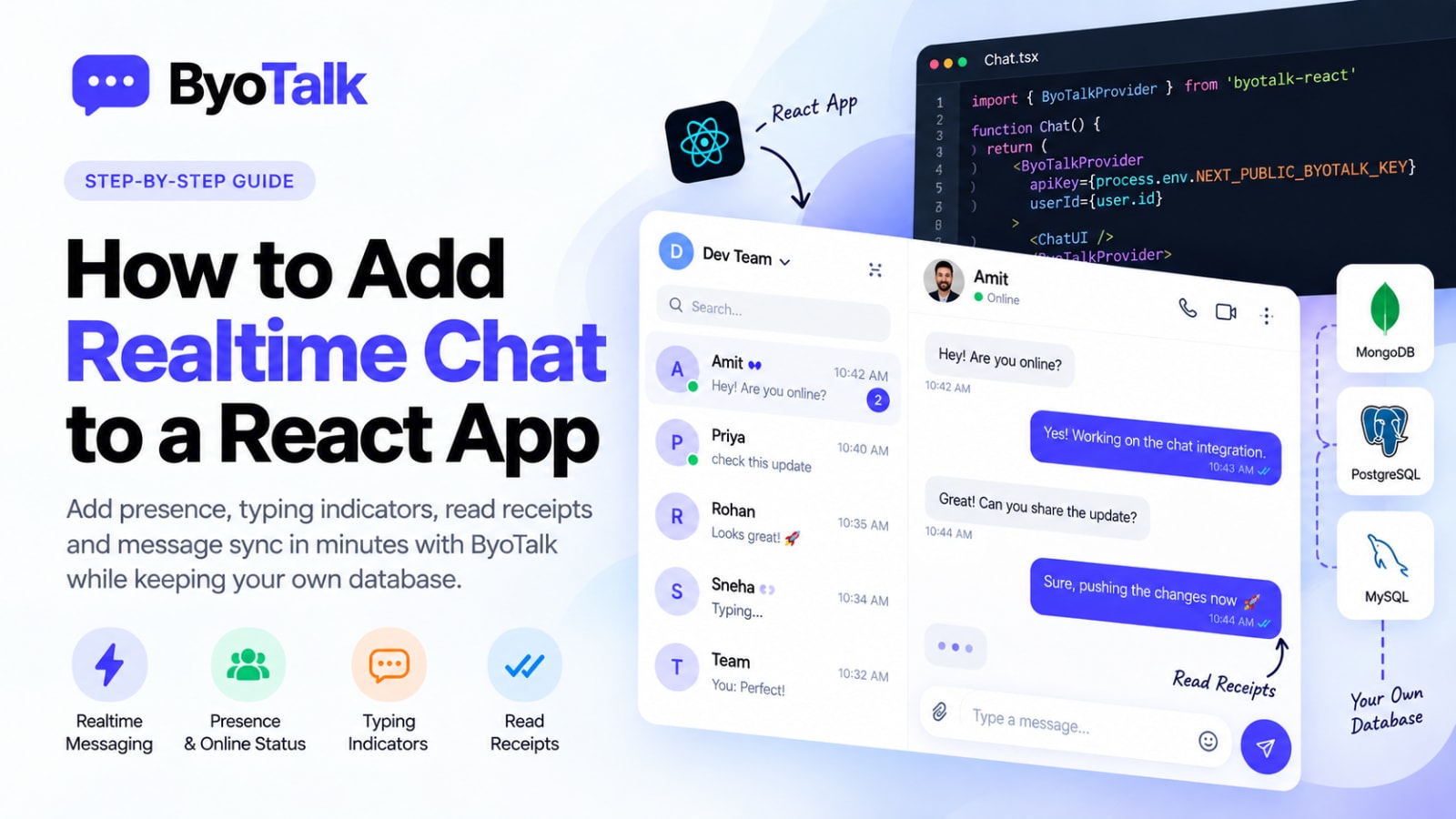
A good realtime chat UI does more than display messages. It helps users understand who is available, which messages were delivered or read, when someone is typing, and what happened when the connection changes.
For developers building chat into a product, the best experience comes from treating every message state and realtime event as part of one coherent interface.
Start with a clear conversation layout
A reliable chat interface usually has three areas: the conversation list, the active conversation, and the message composer.
The conversation list should make important state visible without opening every thread. Show the latest message, unread count, timestamp, and a lightweight presence indicator when useful.
The active conversation should keep the message hierarchy simple. Incoming and outgoing messages need clear visual separation, but the interface should avoid excessive decoration that makes long conversations difficult to scan.
The composer should remain predictable. Users should always know where to type, how to send, and what happens if a message fails.
Make message states understandable
Realtime systems can expose several states:
- Sending
- Sent
- Delivered
- Read
- Failed
- Retrying
Do not expose every internal event to the user. Instead, translate technical state into simple feedback.
For example, a subtle sending indicator can appear while a message is being submitted. Once the server accepts it, the UI can show a sent state. A delivery indicator can communicate that the recipient's device received it, while a read receipt can appear after the recipient actually opens the conversation.
This distinction becomes especially important in mobile applications where connectivity can change frequently.
Use presence without creating visual noise
Presence can make conversations feel alive, but too many indicators can make the interface distracting.
An online dot beside a user's name is often enough. For a direct conversation, you can show a short status such as “Online” or “Last seen recently.”
Typing indicators should be even more temporary. They should appear only while the other person is actively composing and disappear quickly when typing stops.
The realtime layer can handle these transient events while your application keeps durable user and conversation data in its own database.
Design typing indicators carefully
Typing indicators are useful because they reduce uncertainty. Without one, a user may wonder whether the other person is still active or whether the connection stopped working.
Keep the wording short:
Priya is typing…
For group conversations, avoid listing too many names. A compact message such as “2 people are typing…” is easier to scan.
Typing events should not be stored as permanent messages. They are temporary realtime signals and should expire naturally.
Make read receipts useful
Read receipts answer a simple question: did the recipient see the message?
The interface should make that answer easy to understand without requiring users to inspect technical details.
For one-to-one conversations, a checkmark or small “Read” label can work well. For group conversations, consider showing participant avatars or a compact reader list rather than repeating text below every message.
Read state can be persisted in your own database, while the realtime system distributes the state change to connected clients.
Handle failures gracefully
A realtime chat UI should assume that connections can fail.
If a message cannot be sent, do not silently remove it. Keep the message visible and show a retry state.
A useful flow is:
- User sends the message.
- The UI shows it immediately as sending.
- The server acknowledges the message.
- The UI changes it to sent or delivered.
- If the request fails, the UI shows a retry action.
This pattern gives users confidence that the application has not lost their message.
Keep optimistic updates consistent
Optimistic updates make chat feel fast because the message appears immediately instead of waiting for a server response.
However, the client should not generate permanent message identity on its own without a reliable reconciliation strategy. Use stable IDs and server acknowledgements so retries do not create duplicate messages.
When the server response arrives, reconcile the optimistic message with the durable record rather than inserting a second copy.
Design for reconnects
Mobile users move between Wi-Fi and cellular networks, laptops sleep, and browser tabs can become inactive.
A good chat UI should recover from these situations without forcing the user to refresh the page.
When the connection returns, the client should synchronize any missing messages and restore relevant transient state. Presence should be recalculated rather than assuming that the previous connection is still active.
The interface can also show a subtle connection state when synchronization is temporarily unavailable.
Keep your database as the durable source of truth
Realtime events and permanent application data have different lifecycles.
Presence, typing, and connection state are temporary. Messages, conversations, participants, and important read state may need to remain available after a user reconnects.
A clean architecture separates these responsibilities:
- Chat UI: renders the current state.
- Realtime layer: delivers events quickly.
- Your database: stores durable records.
This approach is particularly useful for teams that want realtime infrastructure without moving ownership of their application data.
Build the interface around user intent
The best realtime chat UI does not expose infrastructure complexity. Users should not need to understand WebSockets, synchronization, retries, or connection sessions.
They should simply see:
- Who is available
- What was sent
- What was received
- What was read
- Whether someone is typing
- Whether something needs their attention
When the interface communicates those states clearly, realtime chat feels natural rather than technical.
FAQ
What should a realtime chat UI show?
At minimum, show messages, timestamps, sending state, error state, unread state, and a clear composer. Presence, typing indicators, and read receipts can improve the experience when they fit the product.
Should typing indicators be stored in a database?
Usually no. Typing is transient state and is better handled as a realtime event.
Should chat messages be stored by the realtime provider?
Not necessarily. A BYO-database architecture lets your application keep permanent message data in its own database while a realtime service handles delivery and synchronization.
How should a chat UI handle offline users?
Keep the conversation usable, queue or clearly mark unsent messages, and synchronize when connectivity returns. Never make a temporary connection problem look like permanent data loss.
Build realtime chat without rebuilding your product
A well-designed chat UI depends on reliable realtime infrastructure, but your application does not need to give up ownership of its permanent data.
ByoTalk can handle realtime delivery, synchronization, presence, and receipts while your own database remains the durable source of truth. That lets your team focus on the product experience instead of maintaining every part of chat infrastructure from scratch.
You can also read How to Build Realtime Chat Without WebSockets and Realtime Chat Presence and Read Receipts for related implementation guidance.
- chat-infrastructure
- realtime
- byo-database
Build chat on ByoTalk
Realtime chat and calls, with the permanent record in your own database.