Product · · 4 min read
Next.js Realtime Chat with ByoTalk
A practical guide to adding realtime chat to a Next.js app while keeping authentication, business logic, and chat data in your own backend and database.
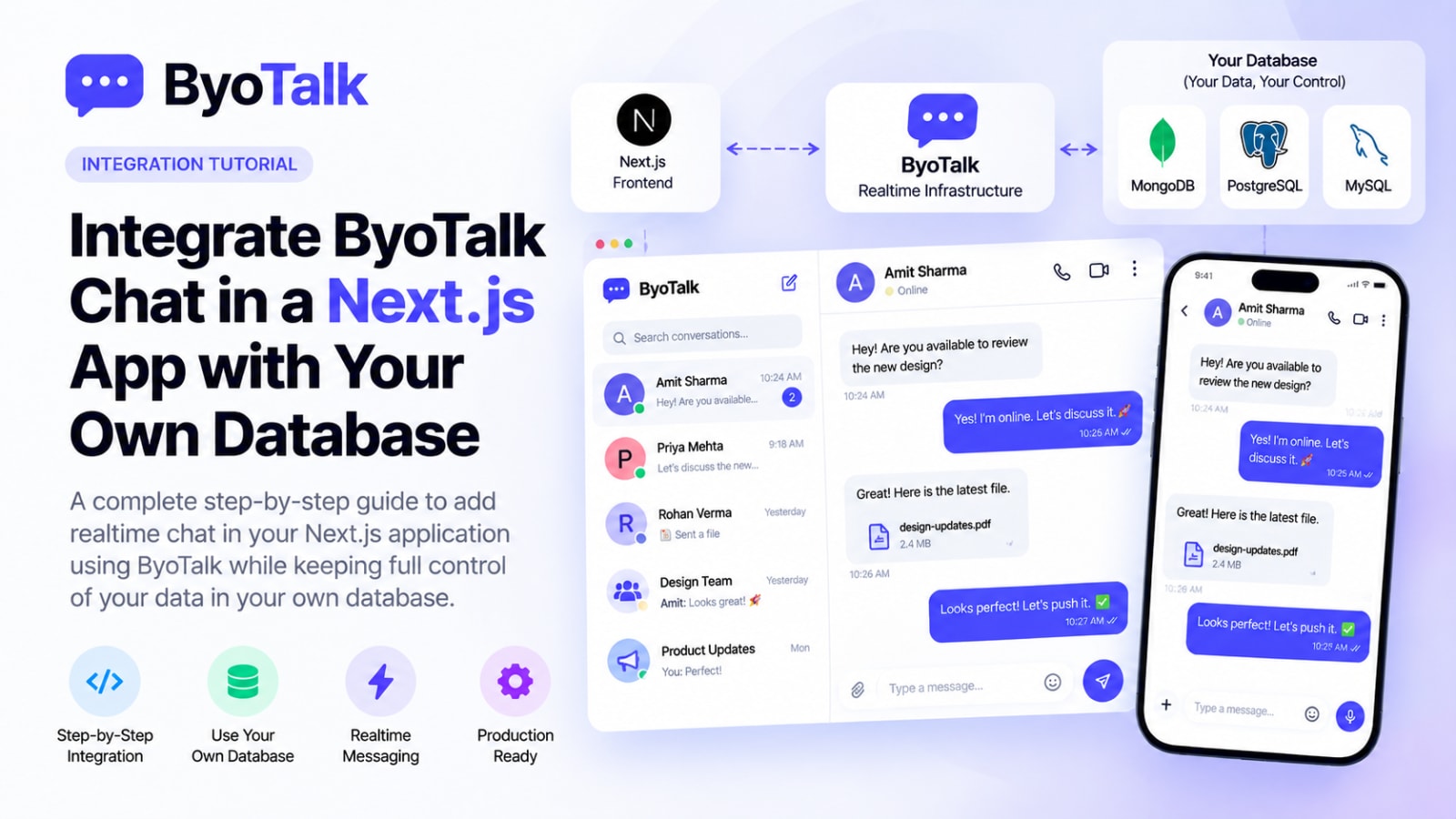
Adding realtime chat to a Next.js product does not require replacing your existing backend or database. A practical Next.js realtime chat architecture can keep users, conversations, and messages in your own database while ByoTalk handles realtime delivery, synchronization, presence, and read receipts.
This guide walks through the architecture, integration flow, data boundaries, and production considerations.
Next.js realtime chat architecture
A clean implementation separates application responsibilities into three layers:
- Next.js application — UI, routing, authentication, and user experience.
- Your backend and database — business rules and durable chat data.
- ByoTalk — realtime delivery and synchronization between connected clients.
This separation matters because chat is not only a UI problem. Your application still needs to decide who can access a conversation, where messages are stored, and how chat data connects to the rest of your product.
Step 1: Decide what your database owns
Before integrating realtime features, define your durable records. For most products, your database should own users, conversations, participants, messages, attachments, persistent read state, and application-specific permissions.
Step 2: Keep secrets on the server
Next.js applications contain both server and client code, so credentials need to be separated carefully. Private credentials should remain on the server, never in browser-exposed variables or source control.
Step 3: Add the chat UI
Your chat page can be a normal Next.js route with a conversation list, active conversation, message history, composer, sending state, presence state, and read state. Load durable conversation data through your normal application API or server-side data layer, then let realtime events update the interface.
Step 4: Connect the realtime layer
Once the conversation is loaded, initialize the ByoTalk realtime connection for the authenticated user and selected conversation. The client subscribes to the events it needs while your backend remains responsible for authorization and durable business logic.
Step 5: Send a message
A message should have a stable identifier and predictable lifecycle. A practical flow is: the user types, the UI shows an optimistic state, the application validates the request, the message is persisted, realtime delivery sends the event to participants, and clients reconcile their local state with the durable record.
Stable IDs are important because mobile and browser connections can retry after network interruptions. Without them, a retry can accidentally create duplicate messages.
Step 6: Handle presence and typing
Presence and typing indicators are transient events. A user can move between online and offline states several times during a session, while a typing event may exist for only a few seconds. These signals should not be treated like permanent messages.
Step 7: Add read receipts
Read receipts work best when they represent an actual user action. When a conversation becomes visible, the client can send a read acknowledgement and the realtime layer can distribute the update. If your application needs durable read state for analytics or business workflows, store that state in your database too.
Step 8: Handle reconnects
Production chat must assume connections will break. Laptops sleep, mobile users switch networks, and browser tabs become inactive. When the connection returns, the client should synchronize missing state rather than assuming its local UI is complete.
Use stable message IDs, timestamps, acknowledgements, and a clear synchronization strategy so reconnects do not create duplicates or permanently missing history.
Step 9: Protect conversations with application authorization
Do not make the realtime layer your only authorization boundary. Your application should determine whether a user can access a conversation based on organization membership, conversation membership, roles, and permissions.
Step 10: Keep the UI responsive
Realtime chat should feel immediate. Optimistic rendering helps users see their message immediately, but every optimistic message needs a reconciliation path.
Useful states include Sending → Sent → Delivered → Read and Sending → Failed → Retry.
Step 11: Test the failure cases
Test slow networks, offline mode, reconnects, duplicate sends, multiple browser tabs, multiple devices, large conversations, rapid messages, permission changes, failed uploads, and expired sessions. Realtime systems often fail at the edges rather than during the happy path.
Step 12: Keep your database independent
One of the biggest advantages of this architecture is that your database remains yours. Whether your application uses MongoDB, PostgreSQL, MySQL, or another supported database, your existing data model can remain part of your product architecture.
Production checklist
- Authentication is enforced.
- Conversation authorization is enforced.
- Private credentials stay server-side.
- Messages have stable IDs.
- Optimistic messages reconcile correctly.
- Failed messages can be retried.
- Reconnect synchronization works.
- Presence expires correctly.
- Typing events are transient.
- Read receipts are consistent.
- Database queries are indexed.
- Large conversations use pagination.
- Monitoring covers realtime failures.
FAQ
Can I use my existing MongoDB database?
Yes. A BYO-database architecture is useful when you already have a production database and want realtime capabilities without moving durable data.
Does Next.js need to maintain WebSocket connections itself?
Not necessarily. A managed realtime layer can handle connection and event-delivery infrastructure while Next.js focuses on product logic and UI.
Should messages be stored in Next.js?
Next.js is the application framework. Durable messages should be stored in your application's database through your backend or data layer.
Can I use React Native with the same backend?
Yes. The same backend and database architecture can support web and mobile clients while the realtime layer synchronizes events between them.
Build chat without rebuilding your infrastructure
The easiest way to add realtime chat to an existing Next.js product is to separate the concerns. Keep your application, authorization, business logic, and database under your control, while a dedicated realtime layer handles event delivery, synchronization, presence, and receipts.
ByoTalk is built around that model, so your team can add a modern chat experience without turning realtime infrastructure into another product you have to operate.
For additional architecture guidance, read How to Build Realtime Chat Without WebSockets, How to Design a Realtime Chat UI, and MongoDB vs PostgreSQL for Chat Applications.
For framework details, see the official Next.js documentation at https://nextjs.org/docs.
- nextjs
- chat-infrastructure
- realtime
Build chat on ByoTalk
Realtime chat and calls, with the permanent record in your own database.